Skool Video Downloader vs. Downloader for Skool (serp.co): Full Comparison
Skool Video Downloader vs. serp.co's Downloader for Skool, compared feature by feature — free tier, pricing, platform coverage, and reviews, checked against both Chrome Web Store listings directly.
Two different Skool downloaders show up in most searches: Skool Video Downloader (this extension) and Downloader for Skool, published by serp.co. Below is a direct, feature-by-feature comparison, checked against both Chrome Web Store listings directly rather than relying on marketing copy from either side.
Skool Video Downloader (this extension)
- Free tier: 5 full MP4 downloads every week, forever, no signup, no email, no credit card.
- Platform coverage: Skool native (Mux), Loom, Vimeo, and Wistia, auto-detected per lesson. YouTube embeds route to a free one-time yt-dlp command instead, since YouTube blocks in-browser extension downloads entirely as of 2025-26 — a limitation affecting every downloader extension, not this one specifically.
- Queued downloads: queue as many lessons as you like; they process one after another with a live progress bar.
- Pricing: $9.99/month or $99.99 one-time for lifetime access. This is early-access pricing while the product is still growing its user base — it reflects where we are now, not a permanent ceiling.
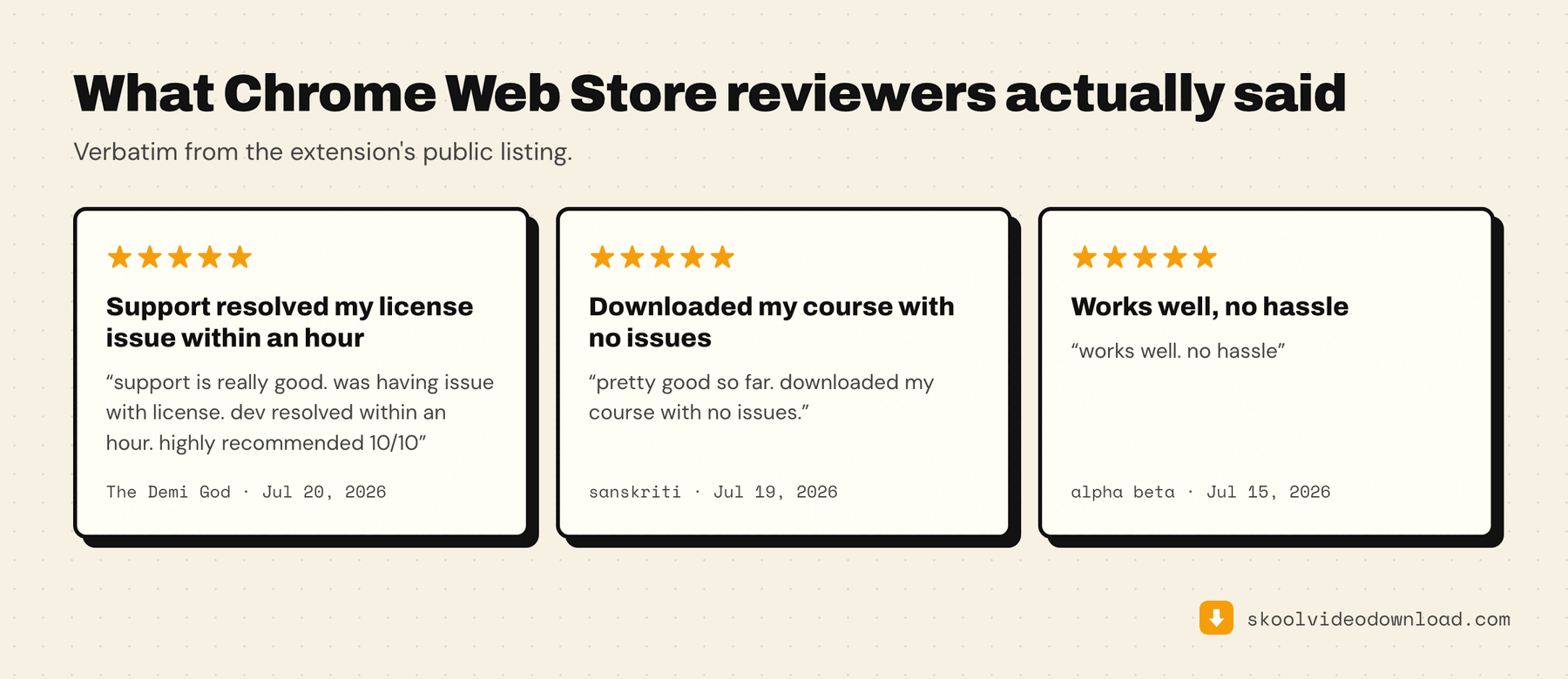
- Rating: 5.0 out of 5 stars on the Chrome Web Store at the time of writing.
Downloader for Skool (serp.co)
- Free tier: requires an email signup before your first download, then gives you 3 downloads. Based on the public listing, this reads as a one-time trial allowance rather than something that resets weekly — meaning after those 3, you're paying.
- Platform coverage: Skool native (Mux), Loom, Vimeo, and Wistia. No mention of YouTube handling on the public listing.
- Pricing: $37/month for unlimited downloads. No lifetime option listed on the public listing.
- Rating: 1.8 out of 5 stars from 6 Chrome Web Store reviews at the time of writing.
Side by side
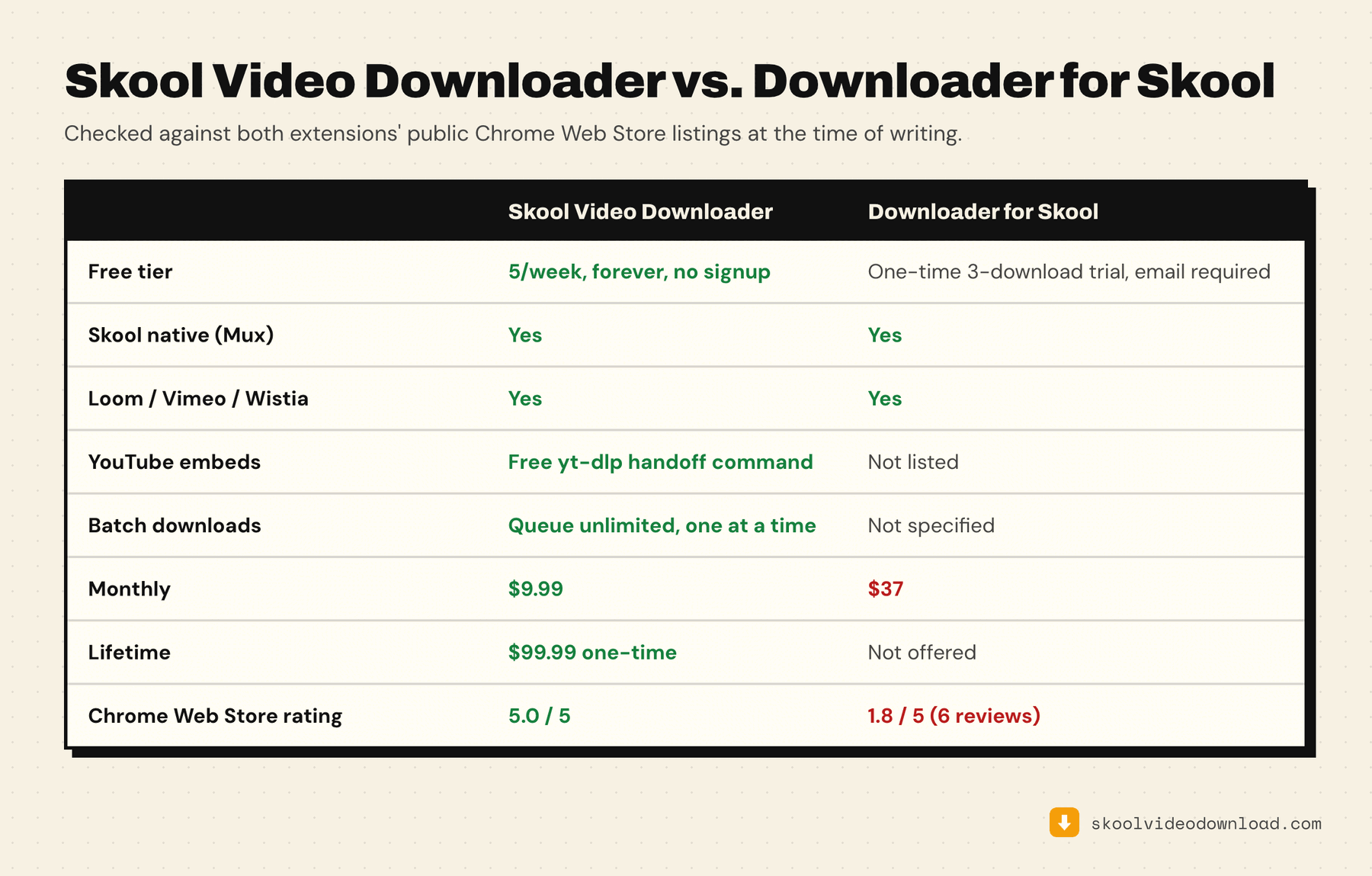
| Skool Video Downloader | Downloader for Skool | |
|---|---|---|
| Free tier | 5 downloads/week, forever, no signup | One-time 3-download trial, email required |
| Skool native (Mux) support | Yes | Yes |
| Loom / Vimeo / Wistia | Yes | Yes |
| YouTube embeds | Free yt-dlp handoff command | Not listed |
| Batch downloads | Queue unlimited, one at a time | Not specified |
| Monthly | $9.99 | $37 |
| Lifetime | $99.99 one-time | Not offered |
| Chrome Web Store rating | 5.0/5 | 1.8/5 (6 reviews) |
What actually differs
Both tools cover the same four platforms — Skool native, Loom, Vimeo, Wistia — so platform coverage isn't the deciding factor here. The real differences are the free tier and the price gap: a weekly-resetting free allowance with no signup versus a one-time trial that requires an email address before you get anything, and a roughly 4x difference in monthly price if you do end up paying.
Which one to pick
If you're downloading a handful of lessons. The free tier settles it: five merged downloads a week that reset, with no email required, versus a one-time three-download trial you have to sign up for. You can test the first one to destruction before spending anything — and there's an unlimited free path on top of that if you don't mind merging the video and audio files yourself.
If a course includes YouTube embeds. Only one of the two says anything about handling them. Skool Video Downloader detects a YouTube embed and hands you a free command that downloads it outside the browser; Downloader for Skool's public listing doesn't mention YouTube at all. Worth checking against your own course before you decide — mixed-source classrooms are common.
If you're archiving a whole course. Compare the paid tiers, not the free ones — and read the whole-course backup workflow to see what you'd actually be doing with either tool. $9.99/month against $37/month is roughly a 4x gap, and only one of the two lists a lifetime option, which changes the maths entirely if you expect to keep using it past a few months.
If you're weighing non-extension options too. Neither of these is the only way to save a Skool lesson — the comparison of every free option puts both extensions next to yt-dlp and screen recording.
If you care about auditability. Skool Video Downloader's source is public on GitHub, so its permissions and network calls can be read rather than taken on trust — each permission is explained line by line here. That's a reasonable thing to weigh for anything that runs on pages you're logged into.
How to check any of this yourself
Listings change, and so do prices — including ours. Rather than trusting a comparison table written on some date, here's how to verify each row in about two minutes:
- Free tier. Open the Chrome Web Store listing and read the description before installing. A genuine free tier states the recurring allowance; a trial usually says "free downloads" without saying what happens after.
- Whether the free tier resets. Install it, use the allowance, and come back a week later. Nothing else settles this definitively.
- Platform coverage. Check the listing against your own course. A tool that covers Skool native but not Loom is a problem only if your creator uses Loom.
- Pricing. Follow the upgrade link. Monthly and lifetime pricing both live on the checkout page, not the listing.
- Ratings. Read the reviews rather than the average — six reviews is a small enough sample that one unhappy user moves the number a long way, in either direction.